
The average American reads about 12 books a year. Whether we read historical novels, science fiction stories or management books, reading considerably broadens our perspectives. We can learn about the life of Abraham Lincoln, thrill with Frodo Baggins in Middle-earth or understand how to sleep better.
But after a few years, the books start to pile up. As time goes by, we end up forgetting what we have read.
If you read for entertainment, this is not a problem: book’s value comes mainly from the emotions it creates you when you read it.
If you read to learn, it is more irritating. The few hours invested in reading a book will be lost.
How can you retain what you read longer?
In this article, I will introduce you to some techniques I use to:
- Read anywhere, anytime via Kindle
- Improve my memorization of information via Readwise
- Improve my reading habits via Loop
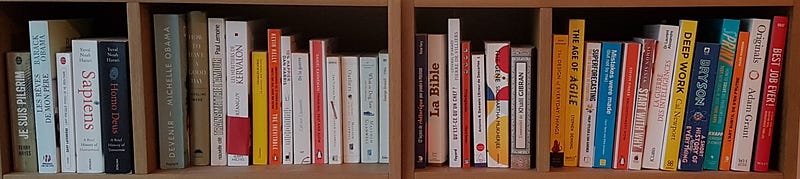
1. Read on Kindle and access your books anywhere, anytime
Many binge readers or people who read on the go already use Kindle to simplify their lives.
What a satisfaction to be able to finish a book, choose the next one, buy it, download it, and start reading it between two train stations?
What a joy to be able to read at night, in bed, without disturbing your partner, thanks to the backlighting?
Not to mention that it takes up less space in a crowded subway, or in your suitcase when you go on vacation.
But using a reading device has other advantages that we don’t talk about much: access to the Cloud.
Thanks to the Kindle application, it is possible to annotate, highlight, comment on the passages that seem the most relevant. All these actions are also possible with a pencil and a paper book.
But the real power of the application lies in the fact that you can then access at any time from any platform (smartphone, computer, e-reader) all these highlighted and commented passages.

For example, you remember that you read an interesting passage in a book, but you don’t remember the exact words? In a matter of seconds you can access all your notes, find the passage in question and then share it with your contacts. No need to wait until you get home and have the book in your hands.
You have at your fingertips all your readings, all your stored but potentially forgotten knowledge.
Some criticisms usually appear at this point in the discussion:
“I so appreciate holding a paper book in my hands. A e-reader is cold, it’s hard.”
It is not at all necessary to read all your books on a e-reader. You can reserve the e-reader for the books you read to learn, and reserve the paper format for the books you read for pleasure.
“Seeing a book in my library allows me to remember its content, to relive the emotions it gave me “
or
“I like to lend my books, with a e-reader, I can’t”.
The technique I use to balance the benefits of physical and digital books is the following:
- by default, I buy on Kindle and read my books on my e-reader
- when I particularly like the book, I buy it back in paper format, and potentially re-read it a few months or years later
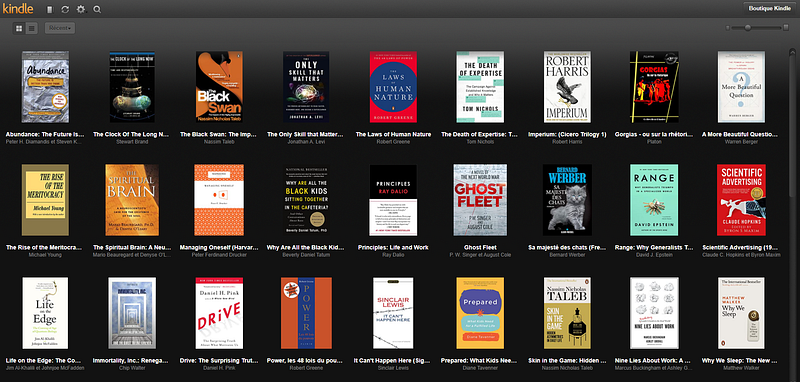
What are the advantages of this approach?
- Price: a digital book costs between 5% and 60% less than its physical equivalent. Buying only a part of your books in physical format saves money, while supporting more the authors you like
- Volume: living in a small apartment, my shelf will quickly explode at the rate of 20 books per year. Buying a good part of these books limits the damage
- Quality: only the most interesting books get into my shelf.
In addition to a 24/7 access to all of your reading material, Kindle allows you to interface with other applications and to organize the learning and “remembering” of your reading material (which, to my knowledge, is not the case with other e-readers).
2. Use Readwise and spaced repetition
If we want to remember a list, neuroscientists and learning studies tell us that it is better to organize several short memorization sessions spaced out over time than a single longer session.
Like a muscle that needs to rest between sports sessions to gain strength, the brain is more likely to retain something that has been presented to it several times, at intervals of several days or weeks.
Our high school teachers used to tell us not to study the day before a test, but rather to learn a little bit every day. (Note to teachers who may read this article: despite the soundness of this advice, it does not objectively work. We all know that person who pulled all-nighters the night before and got a better grade than we did. But how much information did that “late sleeper” remember a month later? A year later? Today? It would be better to say that learning the day before prevents us from accumulating knowledge in the long run!)
Readwise works on this principle of spaced repetition. After connecting your Kindle account, it extracts all the notes of all your readings. It then suggests you to reread between 5 and 15 of them every day by email or directly on the application.
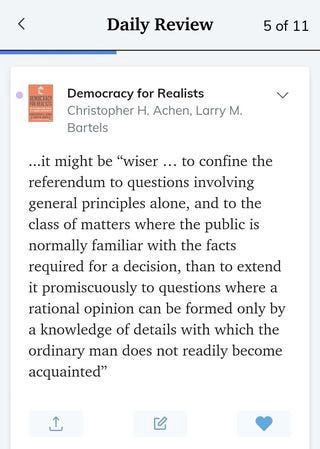
The application can also connect to your Medium, Instapaper, Pocket, Twitter, Goodreads, Apple Books, Google Play Books notes, or simply import emails, CSVs or your manual entries.
Thanks to Readwise,I reread every day 10 excerpts selected among all the books in my Kindle application, and the 600+ passages I had identified over the last 3 years (without imagining for a second that they would be used in this way). And for each of those passages, I can then indicate whether I want to save them, reread them in the near future, or delete them from this repetition program.
Every Saturday, I also receive a newsletter in my mailbox, with the cream of the crop of my saved passages on the application. It is even public and accessible here.
Readwise allows me to keep all the interesting passages I’ve read and highlighted on Kindle in my brain “RAM”. The application has even encouraged me to return to books that I had stopped reading, but which now meet my needs.
The only drawback is that after 30 days of free use, the application costs between 5 and 8 dollars per month. After a long period of hesitation, I signed up for 1 year, and so far I don’t regret it at all.
3. Improve your reading habits
In addition to Readwise, I use a second application to force myself to read more frequently. Many applications exist to track your reading habits, I use Loop on Android (free).
The interface is very clean, functional, without any superfluous. Every day I receive a notification at a fixed hour to ask me if I have done my habit (here reading). The application then offers me a whole series of graphs to determine the patterns behind my habits.
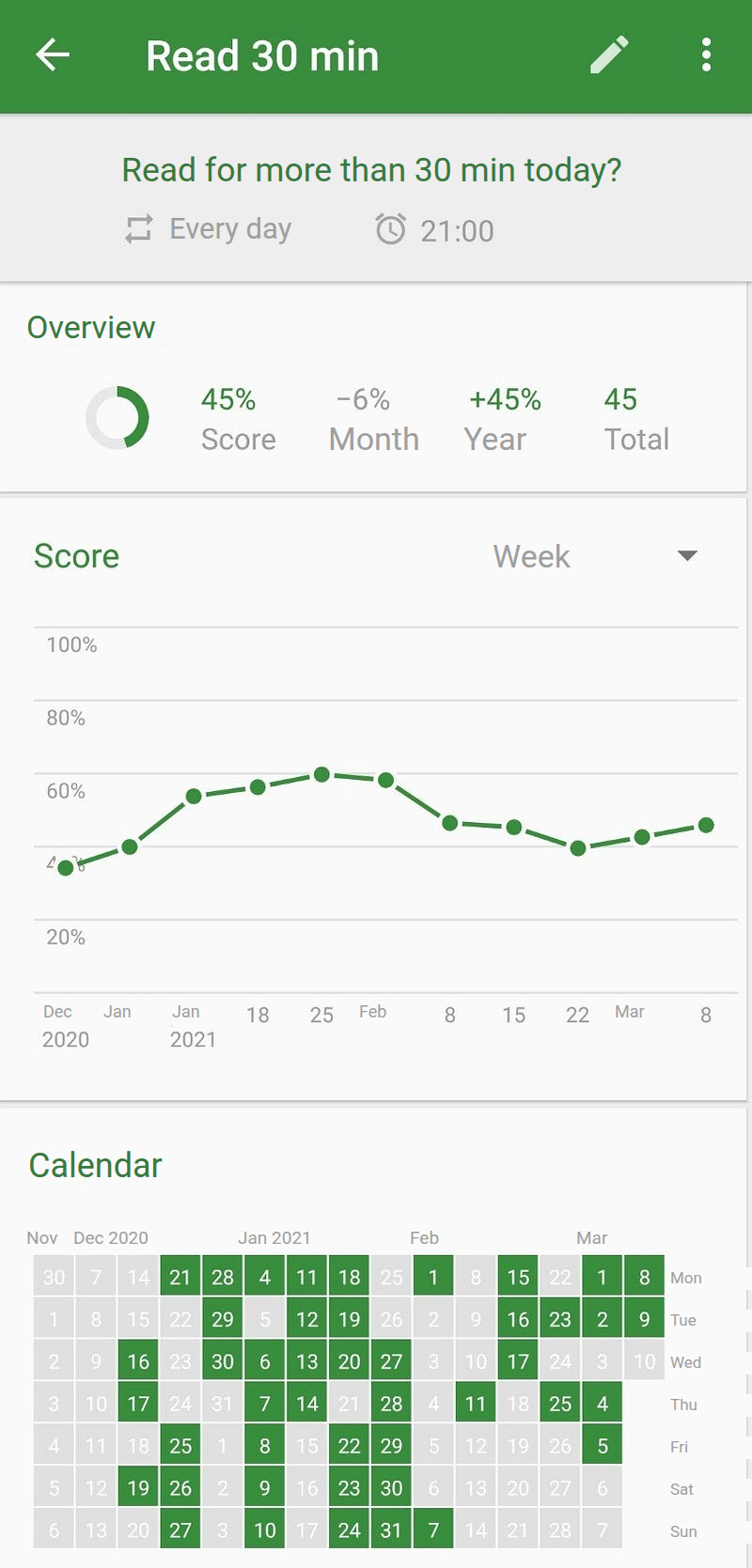
The application can of course be used to track other habits, such as exercising, drinking 1.5 L of water, limiting alcohol consumption… but that’s not the subject of today’s article.
Conclusion
The 3 applications I use (Kindle, Readwise and Loop) allow me to read more and remember better what I read. However, I have not changed my reading technique. I do not use speed reading, active reading, selective reading…
If you have any feedback on these reading methods or other techniques to better remember what you read, feel free to share them in the comments!
Enjoy your reading
PS — I am not affiliated with Kindle, Readwise or Loop. They are simply applications that I use and enjoy!